
NCERT-CIET Google AI Course: A historic step has been taken under the Government of India’s new education policy (NEP 2020) to make the country’s education system more digital and modern. The Central Institute of Educational Technology (CIET), a constituent unit of the National Council of Educational Research and Training (NCERT), in collaboration with Google for Education, has launched a new professional development course titled “AI in Education: Empowering Educators for a Future-Ready India”. The course is now officially live on the DIKSHA portal and has been made available for everyone.
If you are a teacher, student, or someone associated with the education sector, then in this article we will explain all the features of this Free AI Course, the tools covered in it, and the complete process to get the free certificate in detail.
| Course Parameter | Details |
|---|---|
| Course Name | AI in Education: Empowering Educators for a Future-Ready India |
| Joint Venture | NCERT-CIET and Google for Education (Google India) |
| Official Portal | DIKSHA Portal / App |
| Course Fees | Free of Cost |
| Launch Date | May 2026 |
| Target Audience | School Teachers, Principals, Teacher Educators (DIET) and Students |
| Type of Course | Self-paced |
| Condition of the certificate | All modules must be completed + minimum 70% marks in the final assessment is required |
| Benefit | Continuous Professional Development (CPD) Training or Credit |
| official website | diksha.gov.in |
| Course Direct Link: AI in Education: Empowering Educators for a Future-Ready India | |
What is the NCERT-CIET & Google AI Course?
The course launched by NCERT-CIET in collaboration with Google for Education is a special online training and professional development program designed mainly to introduce teachers in India to modern Artificial Intelligence (AI) technologies. Through this course, students can also learn industry-relevant skills. The primary objective of this course is to enhance the pedagogical (teaching) capabilities of educators so that they can use AI Tools in classrooms to teach students in a more creative and interactive way. The course is completely self-paced, meaning you can log in and complete it anytime according to your convenience.
Key AI Skills & Tools You Will Learn (What Will You Learn in the Course?)
Through this professional development course, participants will receive practical training on Google’s advanced AI features and frameworks:
- Effective Prompt Crafting: Participants will learn how to write proper prompts and instructions to get accurate and high-quality results from AI tools such as chatbots.
- AAA Evaluation Framework: The course explains how to properly and safely evaluate AI-generated content in the field of education.
- Google Gemini Integration: Participants will learn how to use Google’s AI assistant “Gemini” to enhance lesson planning and content generation.
- NotebookLM for Education: The course teaches how educators can use Google’s NotebookLM tool to create grounded and citation-backed resources using their own notes or study materials.
- Automated Differentiation & Multilingual Support: Participants will also learn how to customize educational content according to different learning abilities and manage multilingual classrooms effectively.
Pro-tip: To search for this course, you can directly type its official batch name in the search box on the Diksha portal or scan the QR code issued by NCERT from the Diksha mobile app to avoid any misprints.
Target Audience and CPD Credits for the DIKSHA AI Course?
This course has been specially designed for teachers from government, government-aided, and private schools across India. Apart from teachers, it is also highly useful for school principals and education policymakers. Under the guidelines of the National Education Policy (NEP 2020), teachers who successfully complete this course will receive certified training hours credited to their Continuous Professional Development (CPD) account, which can support their future career advancement and promotions.
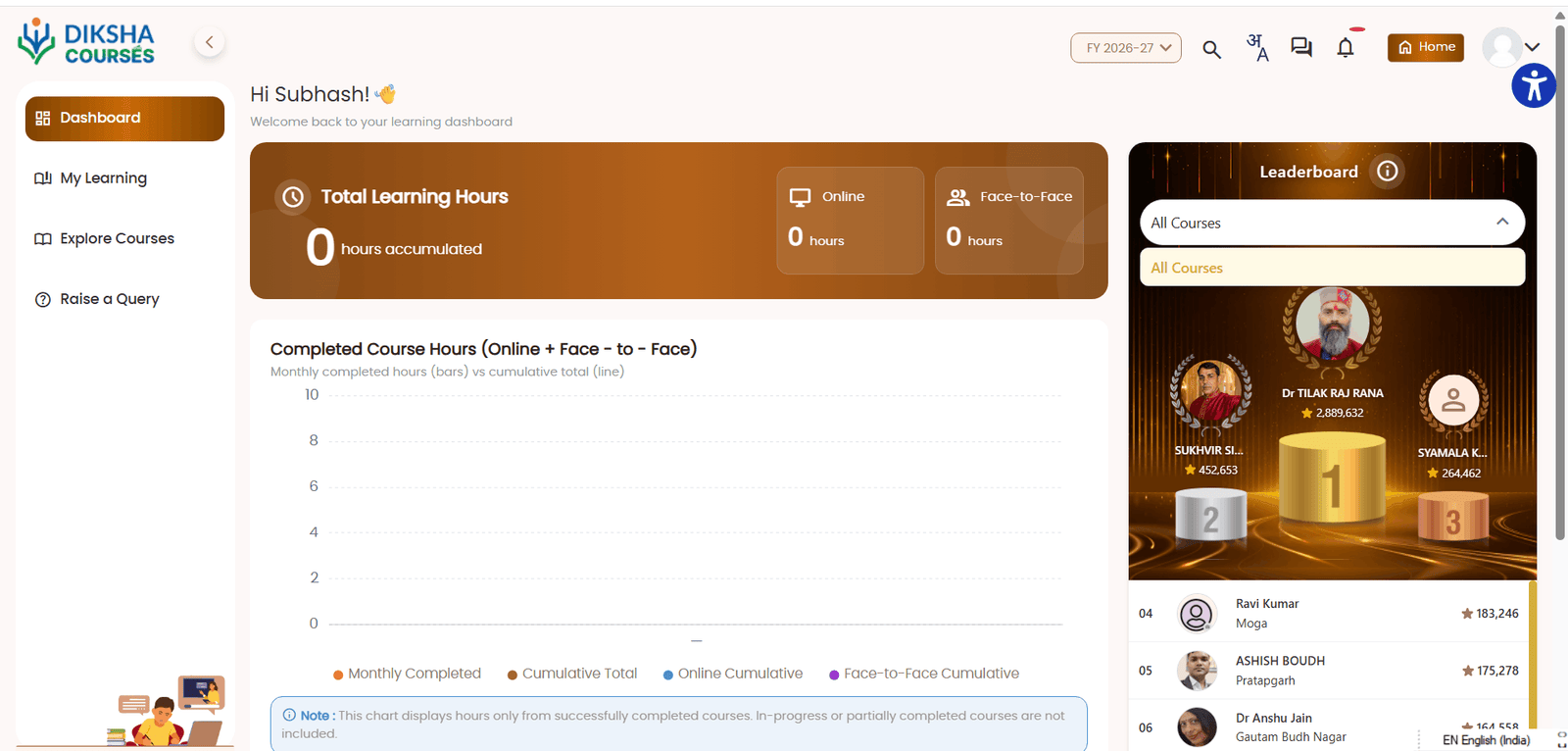
Step-by-Step Process to Enroll on DIKSHA Portal
- First, visit the official DIKSHA course portal at learning.diksha.gov.in through your browser or open the DIKSHA App on your mobile device.
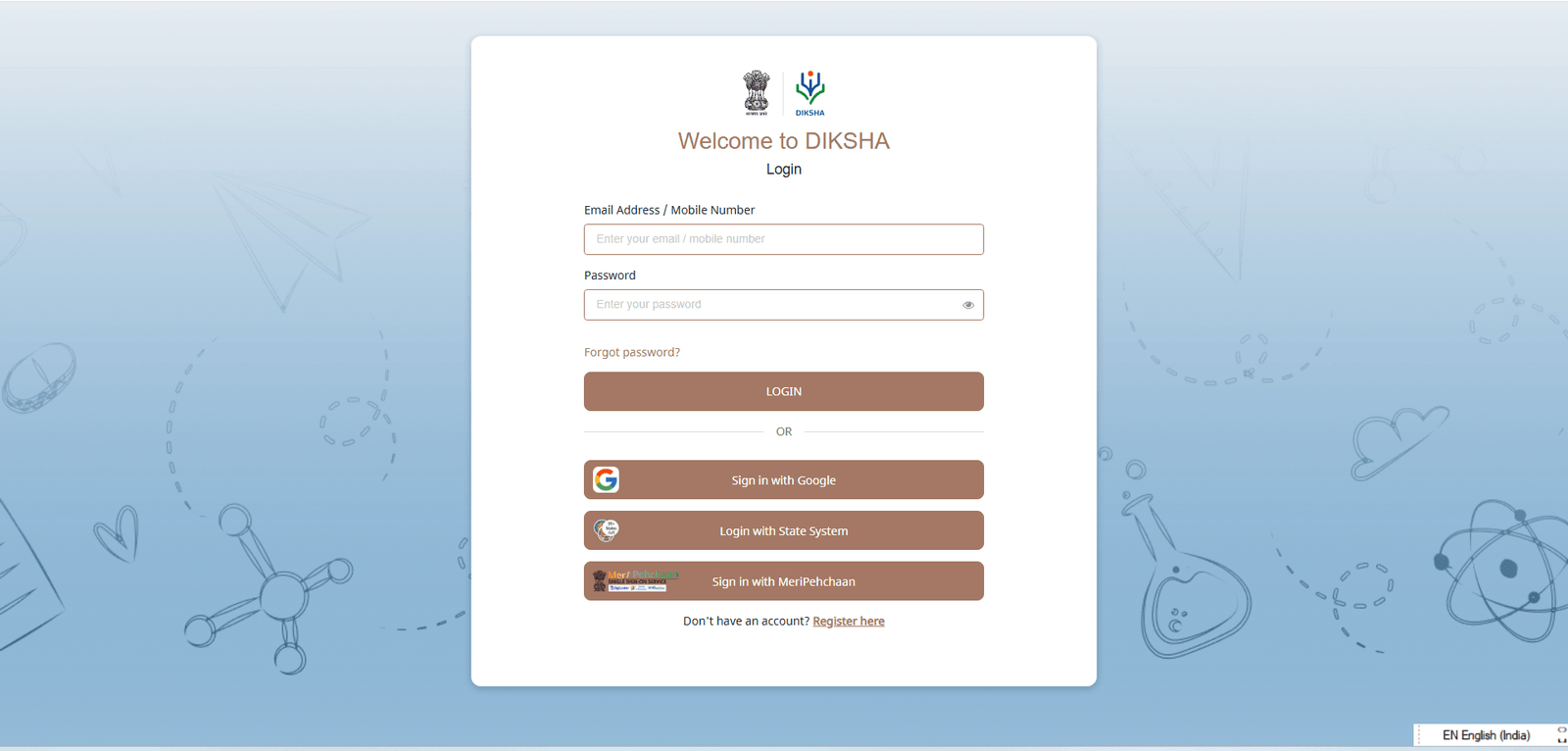
- If you do not already have an account, sign in or register using your Gmail account or other credentials.
- You will now be taken to your profile dashboard.
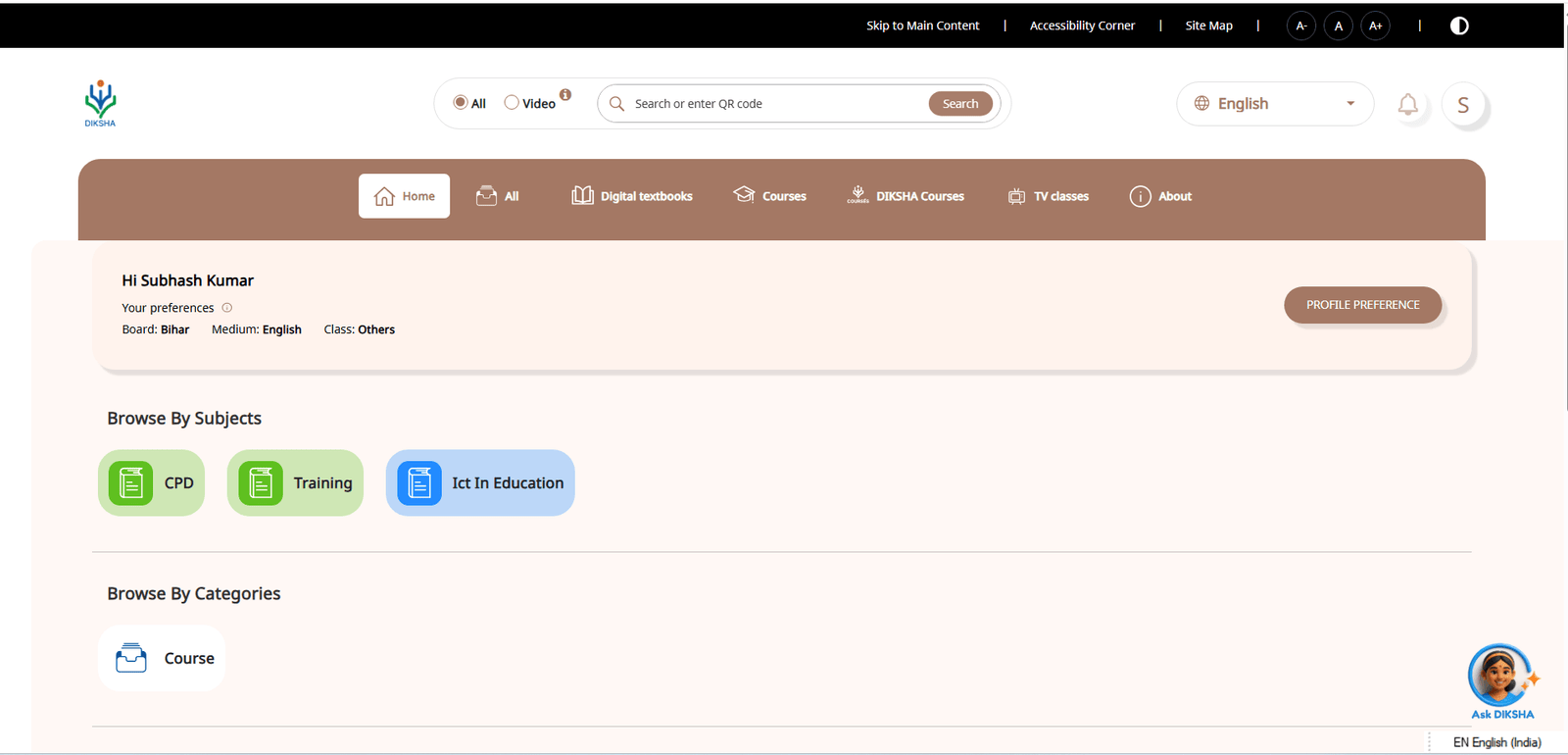
- Now search for the course by typing “AI in Education: Empowering Educators for a Future-Ready India” in the search bar.
- After opening the course page, click on the “Join Course” or “Enroll” button.
- Update and confirm your profile details, then start watching the video modules and course activities.
How to Get the Free Completion Certificate?
For teachers, this course will also be added to their Continuous Professional Development (CPD) count. The following are the official rules for downloading the digital certificate:
- Candidates must complete 100% of the course video lectures and study materials.
- A Final Assessment (Quiz) will be conducted at the end of the course.
- To become eligible for the certificate, candidates must score at least 70% or above in the final assessment.
- Each participant will be given a maximum of 3 attempts to pass the assessment. After securing the required score, the certificate becomes available on the DIKSHA profile page within 15–20 days.
𝐍𝐂𝐄𝐑𝐓 -𝐂𝐈𝐄𝐓 and 𝐆𝐨𝐨𝐠𝐥𝐞 for Education, launch a new professional development course on 𝐃𝐈𝐊𝐒𝐇𝐀: 𝐀𝐈 𝐢𝐧 𝐄𝐝𝐮𝐜𝐚𝐭𝐢𝐨𝐧: 𝐄𝐦𝐩𝐨𝐰𝐞𝐫𝐢𝐧𝐠 𝐄𝐝𝐮𝐜𝐚𝐭𝐨𝐫𝐬 𝐟𝐨𝐫 𝐚 𝐅𝐮𝐭𝐮𝐫𝐞-𝐑𝐞𝐚𝐝𝐲 𝐈𝐧𝐝𝐢𝐚
𝐋𝐞𝐚𝐫𝐧:
Prompt Crafting
AI Evaluation… pic.twitter.com/IYBsC992ps— NCERT (@ncert) May 27, 2026
Frequently Asked Questions (FAQs)
[rank_math_rich_snippet id=”s-38e1c23f-4097-4a74-a17e-e49887f25c49″]
Also Read: How AI Fiesta Fits into India’s Tech-AI Landscape in 2025
Also Read: RRB NTPC UG Admit Card 2026 [CEN 07/2025]
Also Read: RRB Group D Result 2026 (Shortly): Level 1 Date, Time & Zone-Wise Merit List PDF Download Link
In today’s digital era, learning AI has become extremely important for every teacher and student. Have you joined this course on the DIKSHA Portal yet or not? Let us know in the Comment Box below. If you are facing any problem while registering for the course, feel free to ask your question below – our team at TimelyIndia.com will try to help you. Also, don’t forget to share this important information with your teacher friends and in your school-college WhatsApp groups.