
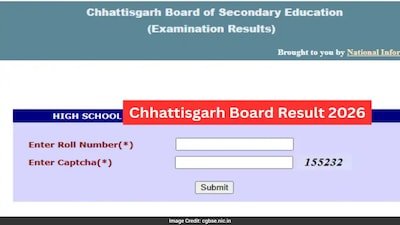
The Chhattisgarh Board of Secondary Education (CGBSE) has officially declared the Class 10 and Class 12 Result 2026 today, April 29, 2026, at 2:30 PM. State Education Minister Gajendra Yadav announced the results at an official press conference in Raipur. Students can now check and download their provisional marksheets at cgbse.nic.in and results.cg.nic.in using their roll number.
CGBSE Result 2026: Official Direct Links to Check Now
- Official Website 1: https://cg.results.nic.in/
- Official Website 2: results.cg.nic.in
- DigiLocker: digilocker.gov.in
How to Check CGBSE 10th and 12th Result 2026
- Visit cgbse.nic.in or results.cg.nic.in
- Go to Students Corner and click on Exam Results 2026
- Click on CGBSE Class 10 Result 2026 or CGBSE Class 12 Result 2026
- Click on Main Examination tab
- Enter your Roll Number and click Submit
- Your result and marksheet will appear on screen
- Download and save as PDF immediately
Check CGBSE Result 2026 via SMS
- For Class 10: Type CG10 (space) Roll Number and send to the board’s SMS number
- For Class 12: Type CG12 (space) Roll Number and send to the board’s SMS number
Use SMS method if the official website is slow or not opening due to heavy traffic.
Check CGBSE Result on DigiLocker
- Open digilocker.gov.in or the DigiLocker app
- Login with registered mobile number
- Search for Chhattisgarh Board of Secondary Education
- Select your class and enter roll number
- Download your digital marksheet
Important Details
| Detail | Information |
|---|---|
| Board | Chhattisgarh Board of Secondary Education (CGBSE) |
| Result Declared | April 29, 2026 at 2:30 PM |
| Class 10 Exam Dates | February 21 to March 13, 2026 |
| Class 12 Exam Dates | February 20 to March 18, 2026 |
| Official Websites | cgbse.nic.in, results.cg.nic.in |
| Passing Marks | 33% in each subject (theory + practical) |
| Supplementary Exam | To be announced soon |
Website is Slow? Try These Tips
Because lakhs of students are checking results at the same time, the official websites may load slowly. Do not panic. Try the following:
- Refresh the page after waiting 2 to 3 minutes
- Switch to results.cg.nic.in if cgbse.nic.in is down
- Check your result on DigiLocker as an alternative
- Use the SMS method if internet is slow
What to Do After Checking Result
- Download the provisional marksheet immediately and save it
- Verify all details — name, roll number, marks — carefully
- If any error is found, contact your school authorities immediately
- Students not satisfied with marks can apply for scrutiny once the board announces the process
- Students who fail in one or more subjects can appear for the CGBSE Supplementary Examination dates will be announced soon by the board
- Original marksheets will be distributed by your school later collect them on time